AI Vector Database Pinecone: A High-Performance Data Platform for RAG Systems and Vector Search
Pinecone is a leader in AI vector databases, offering a fully managed, high-performance data platform solution that enables the fast and accurate building of RAG (Retrieval-Augmented Generation) systems and recommendation engines based on Large Language Models (LLMs).
As AI technology advances, efficiently processing vast amounts of unstructured data and implementing Semantic Search has become a core challenge. Pinecone is a vector data platform optimized for these AI applications and vector search, making it easy for developers and businesses to build fast, accurate search engines, recommendation systems, and Natural Language Processing (NLP) services.
Today, we'll take a closer look at essential resources for leveraging AI, specifically how to efficiently manage unstructured data in a vector database and utilize it in a RAG pipeline.
What is the AI Vector Database Pinecone, and Why is it Essential for LLM RAG?
Pinecone is a cloud-based, managed vector database that converts unstructured data like text, images, and audio into high-dimensional embedding vectors, providing efficient similarity search and AI recommendation features. Traditional SQL-based Relational Database Management Systems (RDBMS) or NoSQL databases excel at key-value lookups but have fundamental limitations in vector search and similarity calculation, which rely on understanding the meaning of data.
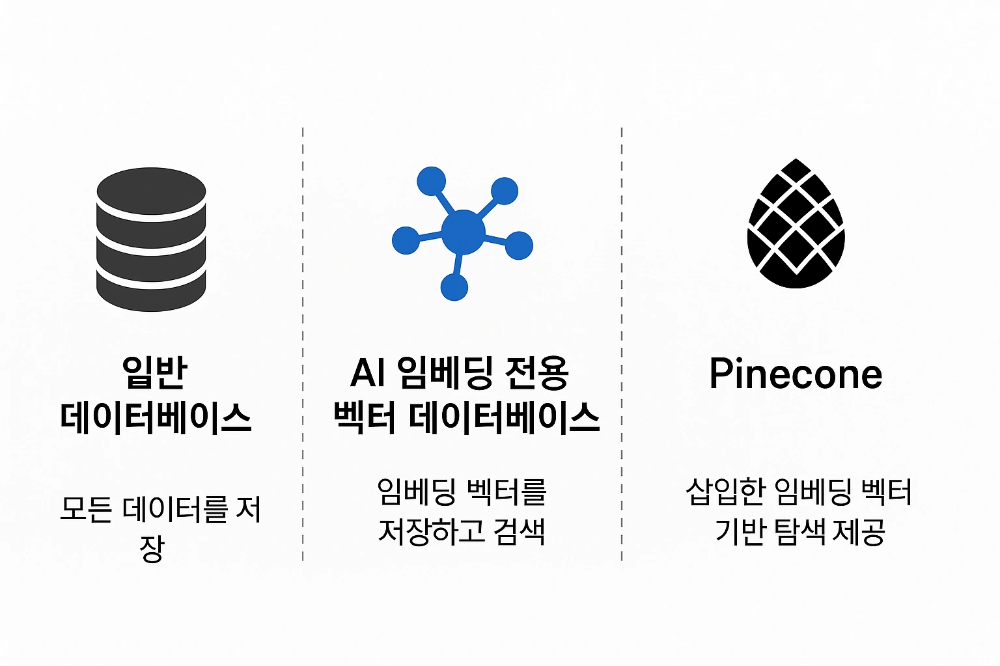
Pinecone is not a general-purpose database; it's a specialized database designed to store embedding vectors at scale and retrieve them at high speed. It is extremely optimized for similarity-based search, particularly by leveraging the Approximate Nearest Neighbor (ANN) algorithm. Consequently, it is recognized as an essential platform for building AI applications such as RAG system construction, image search, document retrieval, chatbots, and personalized recommendation systems, in terms of both performance and scalability.
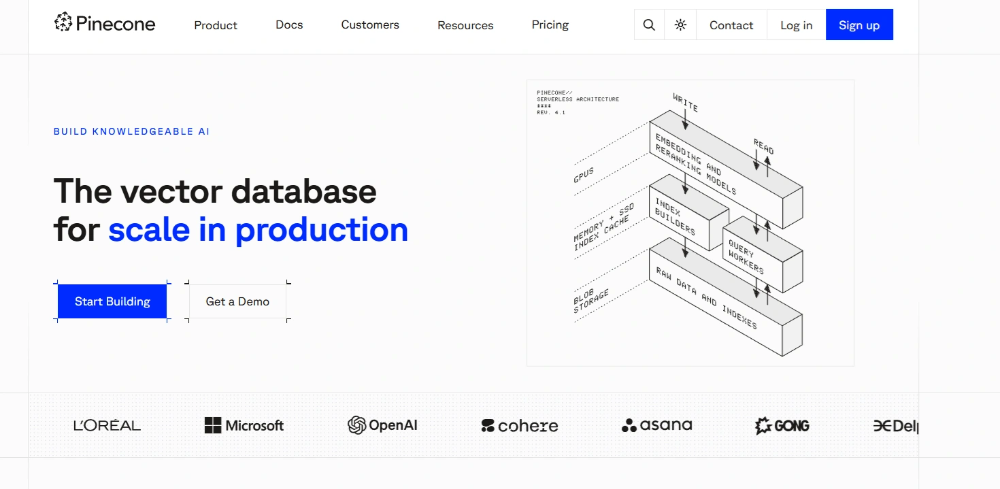
Key Features and Advantages of Pinecone AI Vector Database (RAG Optimized)
| Feature | Description |
|---|---|
| High-Speed Vector Search | Provides millisecond-latency search speeds even over billions of vectors, allowing for real-time exploration of the most similar vectors. |
| Fully Managed Service | Minimizes development overhead as Pinecone automatically handles scaling, management, and optimization, eliminating complex tasks like server administration, infrastructure setup, and indexing optimization. |
| AI & LLM Integration | Offers a Python SDK and REST API, perfectly compatible with various ML/AI frameworks like LangChain, easily connecting to LLM-based RAG pipelines. |
| Excellent Scalability | Capable of automatic scaling even with increased data volume or high traffic, providing an enterprise-grade platform that can reliably handle billions of vectors. |
| High Accuracy | Delivers precise similarity-based results through efficient vector indexing (e.g., HNSW) and optimized search algorithms, thereby improving the quality of AI responses. |
Application Areas and Methods for Pinecone AI Data
AI engineers and businesses can leverage Pinecone to quickly build sophisticated AI-driven applications.
- RAG (Retrieval-Augmented Generation): Extends the knowledge of LLMs with up-to-date or internal data, significantly reducing hallucination and boosting answer accuracy.
- Personalized Recommendation Systems: Transforms user behavior patterns or item information into vectors to provide customized content and product recommendations.
- Natural Language Processing (NLP) Search: Performs semantic search and similarity determination on documents, FAQs, and customer inquiry data to provide accurate information.
- Multimodal Search: Based on the feature vectors of images and audio, it performs high-speed search for visually/auditorily similar content.
- AI-Based Data Analysis: Effectively extracts meaningful patterns and insights from large-scale unstructured datasets.
Pinecone is more than just a vector store; it's an integrated, managed platform for optimizing AI services. Users can focus on connecting AI models and vector data without the burden of infrastructure management. The fast and accurate vector search results maximize the end-user experience (UX). Furthermore, Pinecone offers enterprise-grade scalability and stability, ensuring reliable operation even in high-volume service environments.
For businesses and developers looking to build AI-driven applications or high-performance data search and recommendation systems, Pinecone will be an essential vector data solution.
How to Use Pinecone AI Vector Data (Developer Guide)
Sign Up and Project Setup
Visit the Pinecone Official Website and complete the sign-up process.
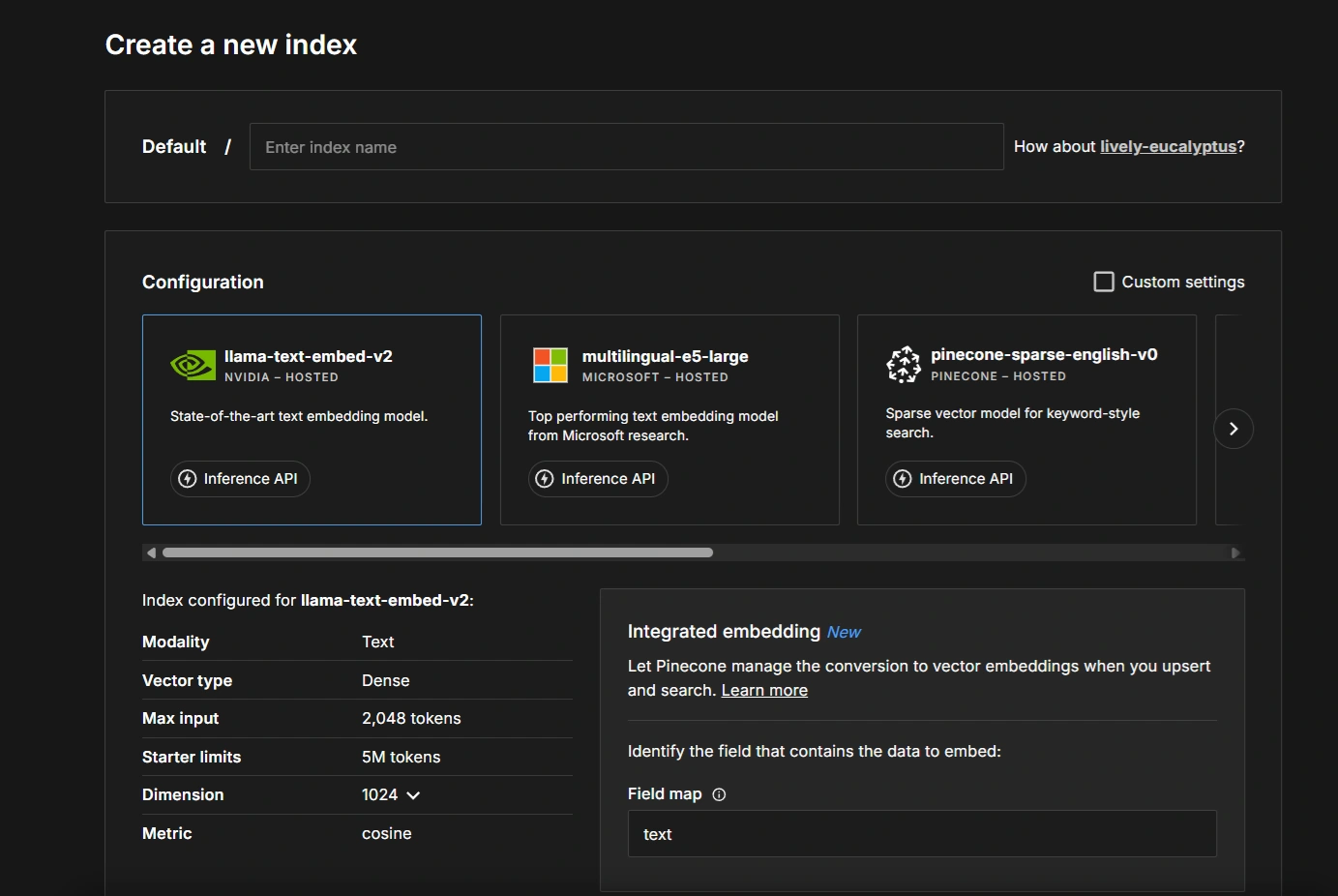
Select Index and Embedding Model (LLM Optimized)
Create a new Index project and select an embedding model known for strong performance and multilingual support (e.g., multilingual-e5-large) to specify the vector dimension.
This model is used to convert text into 1024-dimensional embedding vectors.
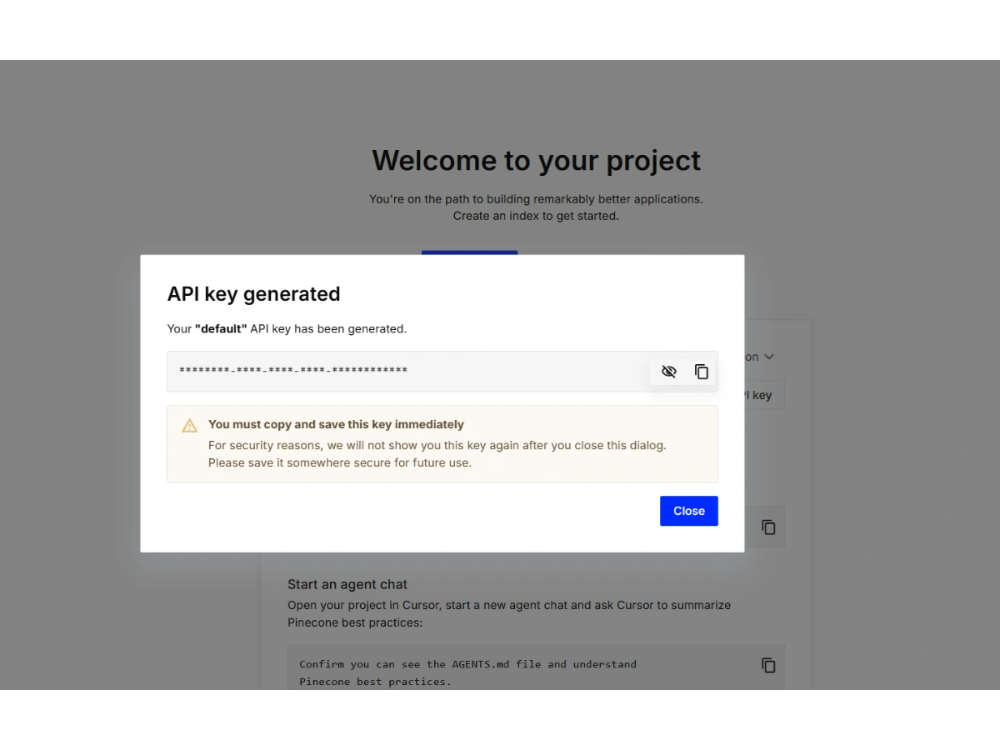
Verify API Key and Environment Host
Verify and securely store the API Key and the generated Pinecone environment address (Host URL) provided after sign-up. This information is used when uploading data and making vector search requests.
Install Required Python Packages
In your Python development environment, use the command below to install the core tools necessary for integrating with the Pinecone vector database.
pip install pinecone sentence-transformers requests beautifulsoup4 tqdm- Pinecone Client: Performs vector data upload (Upsert) and similarity search (Query).
- Sentence Transformers: Generates high-quality text embeddings (converts text to vectors).
- BeautifulSoup4 / Requests: Scrapes and collects RAG data sources (e.g., blogs, documents).
- tqdm: Displays the progress bar during large data processing.
Apply Data Collection and Vectorization Code
Modify the sample Python code below to perform the task of uploading data to your Pinecone index. The API Key, Pinecone Host, and data source address must be configured for your environment.
This code is an example of RAG data preprocessing that extracts blog content from the web, converts it into AI vector data, and batch uploads it to Pinecone.
Sample Python Code (Ingestion Script)
import requests
from bs4 import BeautifulSoup
from sentence_transformers import SentenceTransformer
from tqdm.auto import tqdm
import re

# =================================================================
# Configuration: Set API KEY, HOST, and Embedding Model Info
# =================================================================
API_KEY = "YOUR_PINECONE_API_KEY"
PINECONE_HOST = "https://your-pinecone-instance.svc..pinecone.io"
EMBEDDING_MODEL_NAME = 'intfloat/multilingual-e5-large' # High-performance multilingual embedding model
BLOG_DOMAIN = "https:블로그 주소" # Your blog domain address
EMBEDDING_DIMENSION = 1024 # Vector dimension produced by the model (for multilingual-e5-large)

# Initialize the embedding model
model = SentenceTransformer(EMBEDDING_MODEL_NAME)

# =================================================================
# Function to collect post URLs from the sitemap
# =================================================================
import xml.etree.ElementTree as ET

def parse_post_urls_from_xml_number(url):
urls = set()
try:
response = requests.get(url, timeout=15)
response.raise_for_status()
content = response.content.decode('utf-8')
content = re.sub(r'xmlns="[^"]+"', '', content)
root = ET.fromstring(content)

for element in root.findall('.//loc'):
loc_url = element.text
if loc_url:
# Filter URLs in /number format (post identification)
if re.search(r'/\d+$', loc_url) and not any(keyword in loc_url for keyword in ['/category', '/pages', '/tag', '/guestbook']):
urls.add(loc_url.split('?')[0])
return urls
except Exception as e:
print(f" Sitemap parsing error ({url}): {e}")
return set()

def get_post_urls_from_sitemap(blog_domain):
sitemap_url = f"{blog_domain}/sitemap.xml"
print(f"Collecting RAG data source URLs from [{sitemap_url}]...")
post_urls = parse_post_urls_from_xml_number(sitemap_url)
print(f" A total of {len(post_urls)} post URLs were found during sitemap parsing.")
return list(post_urls)

# =================================================================
# Function to parse content from HTML (Data Preprocessing)
# =================================================================
def scrape_blog_content(url):
title = "No Title"
content = ""
canonical_url = url

try:
response = requests.get(url, timeout=15)
response.raise_for_status()
html = response.text

soup = BeautifulSoup(html, 'html.parser')

# Extract canonical URL
canonical_tag = soup.find('link', rel='canonical')
if canonical_tag and 'href' in canonical_tag.attrs:
canonical_url = canonical_tag['href'].split('?')[0]

# Extract core div containing content (Data Preprocessing)
main_div = soup.find('div', class_='tt_article_useless_p_margin contents_style')
if main_div:
# Extract and remove title
h1_tag = main_div.find('h1')
h2_tag = main_div.find('h2')
if h1_tag:
title = h1_tag.get_text(strip=True)
h1_tag.decompose()
elif h2_tag:
title = h2_tag.get_text(strip=True)
h2_tag.decompose()

# Extract cleaned text
content = main_div.get_text(separator='\n', strip=True)
else:
print(f"⚠ Content div not found: {url}")

return title, content, canonical_url

except Exception as e:
print(f" HTML parsing error ({url}): {e}")
return "Error Occurred", "", url

# =================================================================
# Function for Batch Vector Upload via Pinecone REST API (Upsert)
# =================================================================
import json
import requests

def upsert_batch_via_rest(vectors_batch):
"""Uploads a batch of vectors to the Pinecone index."""
url = f"{PINECONE_HOST}/vectors/upsert"
# Namespace can be configured as needed (e.g., for data separation in RAG)
payload = {"vectors": vectors_batch, "namespace": ""}
headers = {"Api-Key": API_KEY, "Content-Type": "application/json"}
try:
response = requests.post(url, headers=headers, json=payload, timeout=30)
response.raise_for_status()
return response.json()
except requests.exceptions.RequestException as e:
print(f"\n Pinecone Upsert Error Occurred: {e}")
return None

# =================================================================
# Main Function (Overall Execution Logic)
# =================================================================
def main():
post_urls = get_post_urls_from_sitemap(BLOG_DOMAIN)
if not post_urls:
print(" No post URLs to collect. Script terminated.")
return

upserts = []

for url in tqdm(post_urls, desc="Processing posts and generating embeddings"):
title, content, canonical_url = scrape_blog_content(url)

if content and title != "Error Occurred":
# Vector ID is set to the last number of the URL (unique identifier)
vector_id = canonical_url.split('/')[-1]
try:
# Encode text to a vector using Sentence Transformer
embedding = model.encode(content).tolist()
except Exception as e:
print(f"Embedding generation error (Vectorization failed): {e}")
continue

# Data format for Pinecone upload
upserts.append({
'id': vector_id,
'values': embedding,
'metadata': { # Metadata is returned along with search results (essential for RAG)
'text': content,
'title': title,
'url': canonical_url
}
})

if upserts:
print(f"\nUploading a total of {len(upserts)} embedding vectors to Pinecone...")
# Batch upload in chunks of 100 for efficiency
for i in tqdm(range(0, len(upserts), 100), desc="Uploading Pinecone vector data"):
batch = upserts[i:i + 100]
upsert_batch_via_rest(batch)
print("\n AI vector data upload complete! Similarity search can now be performed.")
else:
print("No valid data to upload.")

if __name__ == "__main__":
main()
Execute Data Upload Script
Running the script in the terminal begins the process of transforming blog data into vector data and storing it in the Pinecone index. This process establishes the knowledge base for the RAG system.
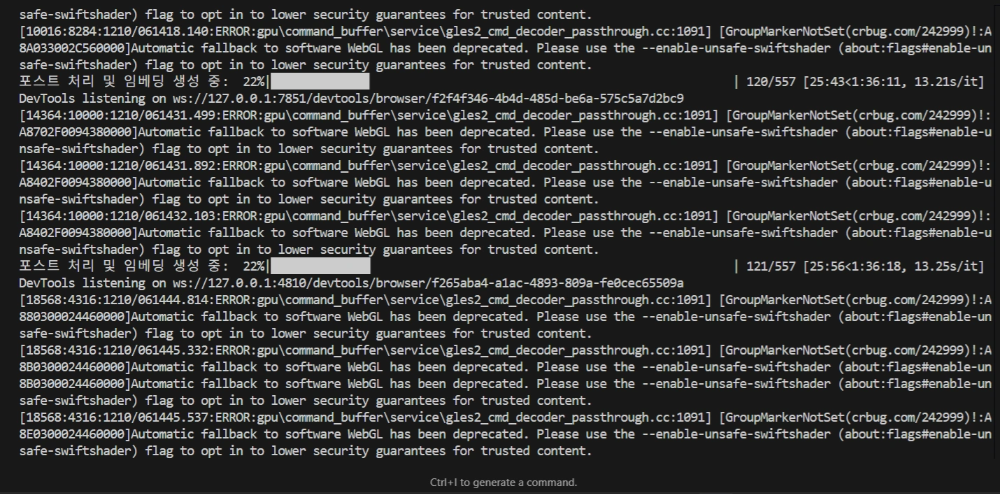
python ingest_data.pyStep-by-Step Summary of AI Database Creation
The process of uploading vector data using the AI database (Pinecone) is summarized step-by-step below.
- Embedding Generation
- Convert text, images, and audio data into 1024-dimensional vectors.
- Create an Embedding Vector that enables semantic search.
- Data Collection and Preprocessing
- Extract /number URLs from the blog sitemap (sitemap.xml).
- Organize the title, body, and structured data from the HTML content.
- Vector Upload
- Use the Pinecone REST API to perform a batch upload in chunks of 100.
- Include the vector and metadata (title, URL) during the upload.
Post Processing and Embedding Generation
An Embedding Vector is the transformation of unstructured data like text, images, and sound into a high-dimensional list of numbers that a computer can understand and process. Simply put, it can be viewed as the coordinates representing the meaning of a word or sentence.
- Access each collected URL one by one and scrape the HTML.
- Extract the title and body from the scraped content and clean up the text.
- Divide the cleaned text into token chunks.
- Convert each chunk into a 1024-dimensional embedding vector using the multilingual-e5-large model.
Pinecone is a powerful platform that goes beyond a simple vector store, enabling efficient and stable operation of AI applications. It converts various forms of data, such as text, images, and sound, into 1024-dimensional embedding vectors and provides accurate results through semantic search and similarity calculation.
Developers can focus on the connection between data and AI models without worrying about server management or infrastructure, and Pinecone's automatic scalability and high stability allow for uninterrupted operation in large-scale service environments.
In short, using Pinecone allows for the fast and efficient building of diverse applications such as AI-based recommendation systems, document search, chatbots, and image search, enhancing both user experience and service quality.
For businesses and developers starting an AI project, Pinecone is an essential solution that must be considered.
Frequently Asked Questions (FAQ)
Q1. What is Pinecone, and how does it differ from a general database?
Pinecone is a managed AI vector database that converts data into high-dimensional vectors for storage and search. While traditional SQL or NoSQL databases excel at key-value lookups, they have limitations in semantic search and similarity calculation. Pinecone provides similarity-based search optimized for AI applications like image search, document retrieval, recommendation systems, and chatbots.
Q2. What steps are needed to manage AI data using Pinecone?
Using Pinecone involves the following major steps: ① Sign up and create a project, selecting a model (e.g., multilingual-e5-large); ② Verify the API key and set up the environment; ③ Collect URLs and scrape HTML content from the blog or data source; ④ Convert data like text and images into embedding vectors; ⑤ Upload the vectors and metadata via the Pinecone REST API. This enables the construction of AI-based semantic search and recommendation systems.
Q3. What are the main advantages and features of Pinecone?
Pinecone's main advantages are: ① Real-time Vector Search: Fast search speed even with large data volumes; ② Fully Managed Service: Automatic scaling and optimization without server management; ③ AI Application Integration: Supports Python SDK, REST API, and various ML frameworks; ④ High Accuracy: Provides accurate similarity-based results; ⑤ Excellent Scalability: Capable of handling billions of vectors. This allows developers to focus on the data and AI model connection.
Q4. What is an embedding vector in Pinecone, and why is it necessary?
An embedding vector is the transformation of unstructured data, such as text, images, or sound, into a high-dimensional list of numbers that a computer can understand. It can be seen as coordinates representing the meaning of a word or sentence. Pinecone uses these embedding vectors to perform semantic search and similarity calculations, making them essential for building AI services like recommendation systems, document search, and chatbots.
Q5. What benefits does using Pinecone offer in AI application development?
Pinecone enhances development efficiency by providing data storage, embedding management, and search functionality in one place. It allows for connecting AI models and data without the burden of server management, and it improves user experience with real-time similarity search and high accuracy. Furthermore, its automatic scalability and stability ensure seamless operation in large-scale service environments.
https://everydayhub.tistory.com/1161
https://everydayhub.tistory.com/1160