Ad Exposure Problem: Ads Are Sensitive to Context
We analyze the fundamental reasons why AdSense ad exposure, the core of blog revenue, fails, and propose practical methods to increase ad exposure rate through HTML structure (utilizing the li tag) and a CLS prevention CSS strategy. Improve both blog revenue optimization and user experience simultaneously by applying fallback content to prevent layout collapse when ads fail to show.
No ad exposure means no revenue.
This statement is only half true. While AdSense revenue is determined by ad clicks and impressions, the phenomenon of ads simply not appearing on the screen is more than just a simple drop in revenue; it leaves blog operators with deep frustration.
Most bloggers plan content daily, write posts, and even pay attention to design to grow their blogs. However, at some point, they may encounter a situation where the carefully placed ads do not appear at all in the desired location. For instance, the ad code was accurately inserted at the top of the body, but no ad appears on the screen, or only an empty area exists in the sidebar ad space.
Such experiences go beyond merely being upset about reduced revenue.
HTML Structure and CSS Tips to Check When Ad Exposure Is Low
The ad exposure issue is not just a revenue loss; it's a problem that affects the blogger's mindset.
Did someone visit my blog, but no ads appeared at all, eliminating any chance for revenue?
Did my content, which I invested time and effort into, ultimately fail to benefit me?
This anxiety and frustration place a heavy burden on blog operation.
Why are ads not visible? (The Hidden Psychology of the Ad Bot)
Ad non-exposure phenomena often stem from technical issues, which are the most basic and textbook reasons:
- Insufficient ad inventory
- Ad loading delay
- CSS style conflicts and layout problems
- AdSense policy restrictions, etc.
Furthermore, the HTML structure itself where the ad code is inserted also affects automatic ad placement.
However, what do you think if there is a true hidden secret?
This time, let's examine the characteristics of the ad from a completely different perspective.
First, before proceeding with the content below, we need to consider one premise.
Namely, before the advent of AI, what was the smartest system?
Perhaps the ad bot could be seen as one of the most meticulously and intelligently designed artificial intelligence systems.
Therefore, the 'ad bot's context-awareness' function, which even current AI cannot perform, serves as a clue to the essence of the advertising system.
The reason the ad bot is context-aware is, naturally, due to profitability.
The preamble has been long.
Now, let's get to the main point.
1. Good HTML Structure for Ad Insertion: Why is li advantageous?
To conclude first, Google's auto-ads generally insert better when the li tag is used repeatedly, rather than the div tag.
The reasons are as follows:
- Recognition of Repeating Content Blocks
Thelitag is clearly recognized as a list-type content structure in HTML5.
Google's ad system sees this repeating structure, determines that the content continues here, and raises the priority for ad insertion. - div is a Meaningless Container
divis used for simple layout purposes, and it's difficult to distinguish whether it's a list or not.
Due to the unclear repetition, ads are often not actively inserted.
Simple Example
!-- div structure --
div class="post-block"Post 1/div
div class="post-block"Post 2/div
div class="post-block"Post 3/div
!-- Low possibility of ad insertion --

!-- ul li structure --
ul
liPost 1/li !-- Possible ad insertion --
liPost 2/li !-- Possible ad insertion --
liPost 3/li
/ul
2. Ads Prefer White Space (Connected to the CLS Issue)

Ads judge for themselves when they should and should not be placed.
The preference for li explained earlier is in the same context.
Ads are reluctant to be inserted between content that is packed tightly without white space, and even if inserted, they are often bounced out or not shown.
In other words, natural and relaxed fluidity between content is important.
However, this fluidity can sometimes cause CLS (Cumulative Layout Shift) issues. This is a phenomenon where the content position shifts while the user is reading the page, harming the UX, and is a core evaluation element of Google's **Core Web Vitals**. Therefore, this problem must be prevented by **setting a fixed height** for the ad area.
3. Ad Code Alone Does Not Guarantee Exposure
One reason why ads do not show well is that the necessary conditions for ad exposure have not been met.
Thinking that an ad will unconditionally show just because the ad code has been inserted is merely the operator's unilateral wish.
The ad system determines whether or not to display an ad by considering various conditions and contexts.
If ads are not showing, please review the structural conditions mentioned above once more.
Next, we will look at the response methods that can be taken when ads actually do not show.
4. Will applying auto-ads collapse the layout? (Skin Structure Check)

Many operators experience the blog's design getting mashed or the layout collapsing after applying auto-ads.
Due to this, they often feel burdened and reluctant to use auto-ads.
However, judging this phenomenon as simply a problem with auto-ads may be a somewhat hasty interpretation.
The essence of the problem may be the skin structure
If the skin breaks or content warps occur when applying auto-ads,
the cause is highly likely to be the structural limitations of the currently used skin, not the ad.
Auto-ads dynamically insert advertisements based on the page's margins, repeated content, and spacing between paragraphs.
If the layout collapses during this process, it is a **signal that the skin is not flexible for ad insertion or relies too heavily on fixed values**.
Turning off auto-ads is only a temporary measure
Turning off the auto-ads themselves because the ads are ruining the layout
is merely a temporary countermeasure that avoids the problem, and there is a high possibility that the same problem will repeat on other pages or devices.
Blog Revenue Optimization: Stable Ad Exposure First, Ad Clicks Second
Many bloggers focus on revenue through clicks, but the opportunity for clicks only arises if the ads are stably exposed first. Therefore, optimizing the ad structure, preventing CLS (Cumulative Layout Shift), and resolving ad loading issues are essential.
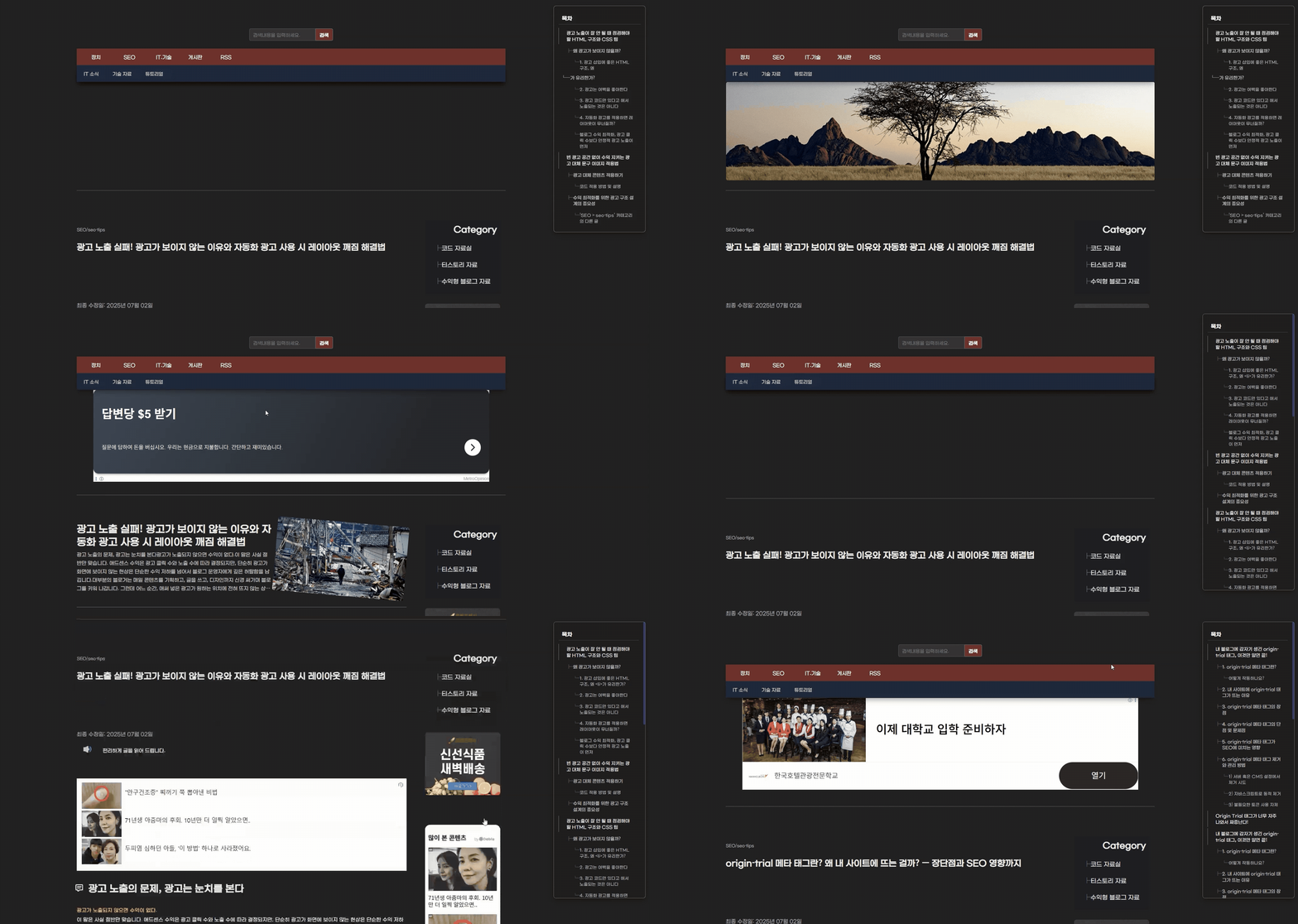
Method to Apply Ad Fallback Text/Image to Protect Revenue Without Empty Ad Space
The most perplexing situation when ads fail to show is the situation where the empty ad space is exposed as is.
This causes significant problems in terms of user accessibility and is a factor that makes the overall page design look unsightly.
One way to solve this problem is to apply ad fallback content.
Even if ads are not exposed, it can provide a design-stable alternative, which does not harm the user experience (UX).
Applying Ad Fallback Content (Including CLS Prevention)
By setting a fixed height (height: 300px) for the ad area,
and handling the background image using CSS's background property, the CLS (Cumulative Layout Shift) problem can be effectively reduced.
In addition, inserting fallback text or an image in preparation for ad loading failure
can prevent visitors from perceiving an empty space, thereby increasing accessibility and trustworthiness.

Code Application Method and Explanation
!-- Ad Area: Fixed height to prevent CLS and insert ad --
div class="adstop" style="position:relative; width:100%; height:300px; margin-bottom:20px; overflow:hidden;"
!-- Ad Script and Area --
div style="position:absolute; top:0; left:0; width:100%; height:100%; z-index:1; text-align:center;"
!-- Google AdSense Script (change client ID to your own ID) --
script async src="https://pagead2.googlesyndication.com/pagead/js/adsbygoogle.js?client=ca-pub-xxxxxxxxxxxxxxxx" crossorigin="anonymous"/script
ins class="adsbygoogle"
style="display:block; width:100%; height:100%;"
data-ad-client="ca-pub-xxxxxxxxxxxxxxxx" !-- Your AdSense Client ID --
data-ad-slot="xxxxxxxxxx" !-- Your Ad Slot ID --
data-ad-format="auto"
data-full-width-responsive="true"/ins
/div
/div

script
// Check ad area height after waiting 5 seconds after page load
window.addEventListener("load", () = {
setTimeout(() = {
const ad = document.querySelector(".adsbygoogle");
// If ad height is less than 50px, it is considered ad not shown
if (ad && ad.offsetHeight 50) {
ad.style.display = "none"; // Hide ad

// Create fallback image and assign style
const fallbackImg = document.createElement("img");
fallbackImg.src = "https://img.webp";
Object.assign(fallbackImg.style, {
width: "100%",
height: "100%",
objectFit: "cover",
display: "block"
});

// Insert fallback image into ad area
ad.parentNode.appendChild(fallbackImg);
}
}, 5000); // Execute after 5 seconds
});
/script
Google AdSense Client ID and Ad Slot ID Change
- Modify the parts
ca-pub-xxxxxxxxxxxxxxxxanddata-ad-slot="xxxxxxxxxx"in the code to match your AdSense account. - You must replace it with your own ID to prevent exposure of personal information upon publication.
Ad Area Fixed Height Setting (height: 300px)
- This is a core setting to prevent layout shifting (CLS) before and after the ad loads.
- The height can be adjusted as needed, but if it is too small, the ad may not show.
Display Fallback Image When Ad Does Not Show
- If the ad height is less than 50px, it is judged that the ad has not loaded properly, and a fallback image is displayed.
- This prevents the exposure of empty space, improving the user experience.
JavaScript Execution Timing
- It is set to check the ad status 5 seconds after the page loads.
- This time can be appropriately adjusted depending on the ad loading situation.
Style Adjustment
overflow: hiddenprevents elements outside the ad area from sticking out.object-fit: coveris applied to the fallback image to maintain the aspect ratio and fill the space completely.
If necessary, insert this code and explanation into your blog to improve both ad exposure stability and user experience!
Please let me know if you have any questions.
Importance of Ad Structure Design for Revenue Optimization
Blog ads mean more than just a single line of visible advertising.
In particular, Google Auto Ads analyze various factors such as the page's HTML structure, user access environment, and content repetition to determine the ad exposure status.
Like the expression that ads are sensitive to context, ads only work properly when they consider the harmony with the content, positioning, and user experience (UX). Ultimately, true blog monetization begins when the content I worked hard to create naturally blends with the ads and is stably exposed.
Therefore, the following elements are all connected core strategies:
- Designing an HTML structure where ads show well (e.g., utilizing the
litag) - CSS optimization to secure design stability
- Setting a fixed area to prevent CLS
- Protecting the layout with fallback content in case of ad failure
- Content placement considering structural flexibility
These small details are the key secrets to increasing the ad exposure rate,
and ultimately leading to revenue optimization.
I hope this article provides practical help in improving your blog ad structure, solving ad exposure issues,
and increasing your Google AdSense revenue.
Frequently Asked Questions (FAQ)
Why might ads not appear even if I only insert the ad code?
The ad code alone is not sufficient. Ad exposure requires several conditions to be met, including HTML structure (e.g., preference for repeating structures like the li tag), white space, loading speed, AdSense policy, and ad inventory status. The same repeating structure is better recognized by the ad bot, and securing sufficient space is also important.
Why does the layout collapse when auto-ads are applied?
It is mostly a skin structure problem, not the ad itself. Since auto-ads are inserted based on margins or repeated content, the layout may break if the skin is not flexible or uses only fixed values. HTML with structural flexibility is needed, and a fixed height should be given to the ad area through CSS to prevent CLS.
Why is it important to insert a fallback image when an ad does not show?
If an ad fails to show, an empty space is created, which worsens UX and eliminates revenue opportunities. In this case, setting a fixed height area and automatically displaying a fallback image or text if the ad fails helps maintain page completeness and trustworthiness, which is essential for user experience (UX) improvement.