Strengthening Tistory Blog SEO Optimization with Breadcrumb Automation
Introducing the JSON-LD script and specific implementation method for automatically applying Breadcrumb, a key SEO strategy that boosts blog search ranking, to Tistory blogs. This dynamic automation technology clearly communicates the website structure to search engines, simultaneously enhancing Rich Results exposure and user convenience.
While using a website, you may have seen a path displayed at the top, such as Home Category Post Title. This is called a Breadcrumb, and the name originates from the fairy tale *Hansel and Gretel*, where the siblings dropped bread crumbs to avoid getting lost. On the web, it acts as a guide, telling visitors where they are on the site and the path they followed to get there.
Breadcrumbs not only provide directions but also enhance user convenience and greatly help with Search Engine Optimization (SEO), simultaneously boosting my blog or website's search exposure and visitor satisfaction. In particular, it has become an essential element for exposure in Google's Rich Results, which is crucial for overall Keyword strategy.
Practical Tips for Automatic Breadcrumb Generation and SEO Optimization by Tistory Category
This article will easily explain what Breadcrumbs are, why they are important, and specifically detail how to automatically create Breadcrumbs on blogs with many categories, like Tistory. Through this, you can increase the structural clarity of your website and build a search engine-friendly environment, improving Related Keyword rankings.
What is a Breadcrumb?
A Breadcrumb is a navigation element that visually shows the path a user has taken to reach the current page on a website. It helps users easily grasp their location within the site and quickly navigate to the desired page, usually displayed in the order of 'Home Top Category Current Page'.
Why are Breadcrumbs Important? (The Core of SEO and UX)
- Improved User Convenience (UX): Visitors can see at a glance where the article or page they are viewing is located, which reduces bounce rates.
- Aids Search Engine Optimization (SEO): Search engines like Google hierarchically understand the site structure by looking at the Breadcrumb information, improving crawling efficiency.
- Click-Through Rate (CTR) Increase Effect: When the path is displayed in search results, users are more likely to trust and click, which is a major advantage for Rich Results exposure, boosting the potential for long, high-intent searches (Long-tail Keyword).
- The overall credibility of the site increases, positively affecting search ranking.
- Google actively recommends the application of Structured Data.
- Breadcrumb JSON-LD is included in the official SEO guide, conforming to the latest web standards.
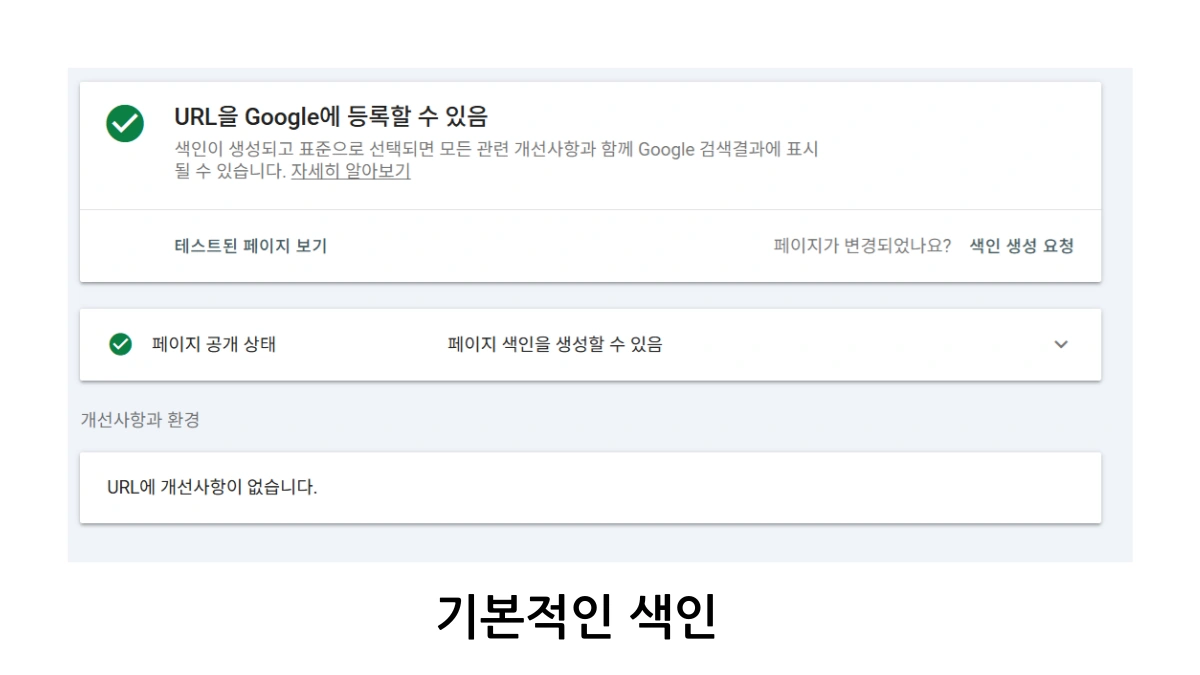
The Necessity of Breadcrumb Automation in Tistory Blogs
For Tistory blogs with many articles and multiple categories, it is very difficult to manually write or modify Breadcrumbs for every post. Therefore, today we introduce a method to dynamically read the current article URL, category, and title to automatically create Breadcrumb structured data. This method is particularly advantageous for large blogs that require SEO management.
- Saves 90% of management time without the need to manually work on every post in a blog with many articles and categories.
- By inserting just one script, it automatically applies to all articles, maintaining a consistent SEO structure.
- It reduces work time and the possibility of errors that can occur when done manually by a person.
What is JSON-LD Breadcrumb Structured Data?
- JSON-LD is a special Structured Data format that communicates data to Google based on the Schema.org standard, optimizing for Keyword comprehension.
- When Breadcrumb information is placed in the JSON-LD format within the head tag of the webpage,
- Google better understands the site structure and exposes it as Rich Results, displaying location information nicely in search results.
Dynamic Breadcrumb JSON-LD Generation Script
The JavaScript below automatically identifies the current page URL and title, and category path to generate the JSON-LD Breadcrumb code and inserts it into the head area of the page. The Home URL must be changed to your own blog address.
script
(function() {
// Get current URL
const currentUrl = window.location.href;

// Home URL (Must be modified to your blog's main URL)
const homeUrl = 'https://everydayhub.tistory.com/';

// Dynamically extract category URL and name (e.g., the part after the second slash in the URL path)
// Tistory URL example: https://everydayhub.tistory.com/category/블로그수익화
const pathParts = window.location.pathname.split('/').filter(Boolean);

// Default values
let categoryName = '';
let categoryUrl = '';
let isCategoryPage = false;

if (pathParts[0] === 'category' && pathParts[1]) {
categoryName = decodeURIComponent(pathParts[1]);
categoryUrl = homeUrl + 'category/' + pathParts[1];
isCategoryPage = true;
}

// Get article title from the title tag (customize as needed)
const postTitle = document.title || '';

// Construct JSON-LD data
const itemListElement = [
{
"@type": "ListItem",
"position": 1,
"name": "Home",
"item": homeUrl
}
];

if (isCategoryPage) {
itemListElement.push({
"@type": "ListItem",
"position": 2,
"name": categoryName,
"item": categoryUrl
});

// If it's an article page, add the 3rd position
if (!window.location.pathname.endsWith('/category/' + pathParts[1] + '/')) {
itemListElement.push({
"@type": "ListItem",
"position": 3,
"name": postTitle,
"item": currentUrl
});
}
} else {
// If it is not a category page, just put the article title as the 2nd position
itemListElement.push({
"@type": "ListItem",
"position": 2,
"name": postTitle,
"item": currentUrl
});
}

const jsonLd = {
"@context": "https://schema.org",
"@type": "BreadcrumbList",
"itemListElement": itemListElement
};

// Create and insert JSON-LD script
const script = document.createElement('script');
script.type = 'application/ld+json';
script.text = JSON.stringify(jsonLd);
document.head.appendChild(script);
})();
/script
How does this code work? (Script Analysis)
- It uses
window.location.hrefto get the full address of the current page for path analysis. - It uses
window.location.pathnameto split the URL path by the slash (/) and check for a category. - If a category path exists, the category name and URL are dynamically stored in variables.
- The document title (
document.title) is used as the article title to set the name of the final step, helping with the visibility of a target Keyword. - ListItem objects for Home, Category, and Article are added sequentially to the
itemListElementarray to create the hierarchy. - Finally, it is converted to JSON-LD format and inserted into the
headvia ascript type="application/ld+json"tag.
Where should it be placed? (Application Location)
- Immediately above
/headin the Tistory skin editor, or, - Near the end of the
/bodytag. - The Breadcrumb data is automatically generated and sent to search engines when the page loads, regardless of the location.
What must be checked after application! (Validation Method)
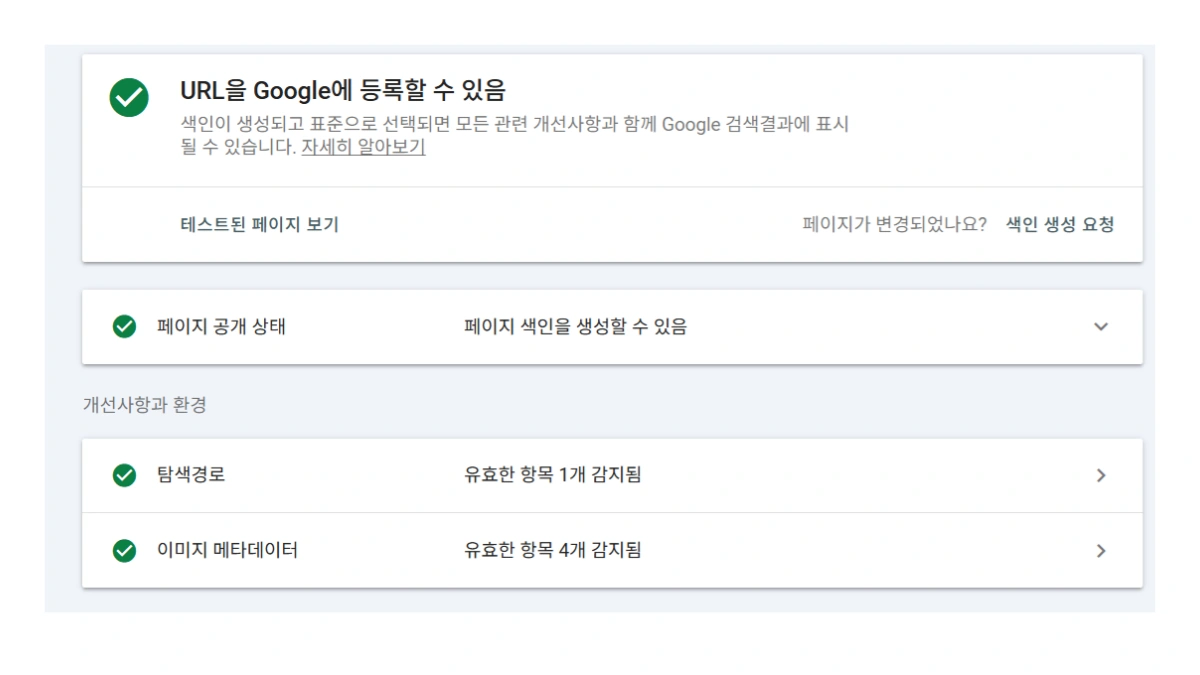
- Enter the URL of the article in the Google Rich Results Test Tool and
- Ensure that the BreadcrumbList is detected without errors and that the structured data is displayed correctly.
- If successfully detected, you can check the exposure status through the Rich Results report in Google Search Console, which is necessary for Related Keyword visibility.

Breadcrumbs are a very important factor for both user convenience and Google SEO. Especially for blogs with many articles and categories, the automatic generation method is much more efficient. Simply paste the JavaScript code above, and it will work automatically without separate management, so be sure to apply it and experience improved search exposure, helping with your Long-tail Keyword strategy!
Frequently Asked Questions (FAQ)
Does applying Breadcrumb JSON-LD actually affect search ranking?
Rather than being a direct ranking factor, it helps Google accurately understand the site structure, increasing crawling efficiency, and boosting the Click-Through Rate (CTR) by being exposed as a Rich Result in search results. The increased CTR indirectly has a positive effect on search ranking for Keywords.
Why must the "Home URL" be entered correctly when applying the script in Tistory?
JSON-LD structured data requires each path element to have a unique URL (Item). Since the "Home URL" defines the starting point and top-level page of the Breadcrumb, the exact main blog address must be entered for the script to build the correct path and ensure validity, which is critical for Related Keyword searches.
If the article title is too long, will it all be displayed in the Breadcrumb?
Breadcrumbs primarily use document.title, and Google may automatically truncate or omit the title due to space constraints when displaying the Breadcrumb in search results. The length is determined by the search engine, but internally, it is best to include the complete title in the structured data, especially for comprehensive Long-tail Keyword titles.